年
月
2017/06/13 4:48 pm
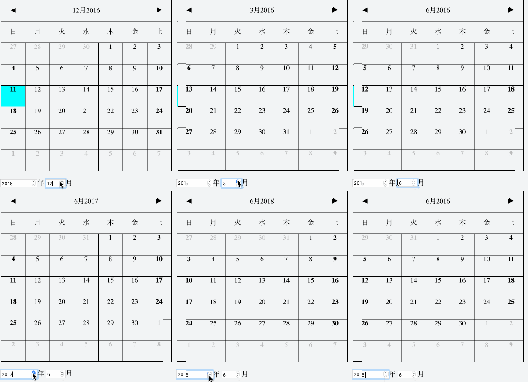
カレンダーコンポーネントの使い方、第二弾です。今回は特定の年月を指定して、その月のカレンダーを表示する方法です。
実際に動いているデモはこちらにあります。また、動いている際には次のようになります。
HTMLは年月を指定するタグを追加しただけです。
年
月
JavaScriptは次のようになります。入力したタイミングでsetYear/setMonthを呼び出すだけです。
| $(function(){ | |
| var mainController = { | |
| __name : 'h5.ui.container.MainController', | |
| calendarController: h5.ui.components.Calendar, | |
| __meta : { | |
| calendarController: { | |
| rootElement: '#container' | |
| }, | |
| }, | |
| __init: function(){ | |
| var d = new Date; | |
| this.$find("#year").val(d.getFullYear()); | |
| this.$find("#month").val(d.getMonth() + 1); | |
| }, | |
| '#year change': function(context, $el) { | |
| this.calendarController.setYear($el.val()); | |
| }, | |
| '#month change': function(context, $el) { | |
| if ($el.val() != 12) { | |
| $el.val($el.val() % 12); | |
| } | |
| this.calendarController.setMonth($el.val() – 1); | |
| } | |
| }; | |
| h5.core.controller('body', mainController); | |
| }); |
カレンダーの移動は元々表示されている三角マークで行うか、来月または先月の日付を選択する、JavaScript側で行うかの3種類になります。JavaScriptから制御できるので、自由にカスタマイズできるでしょう。
作成者: moongift
カテゴリー: hifive
タグ: カレンダー
Mobile Site | Full Site
Get a free blog at WordPress.com Theme: WordPress Mobile Edition by Alex King.