HTML5ではvideoタグによって動画の再生がサポートされていますが、デフォルトのままではOSに依存した動画プレイヤーで再生されるだけです。これはあまり使い勝手がよくないと感じている方も多いでしょう。字幕をつけたり、再生速度を変更したり、さらに音量調整も手軽に行いたいはずです。
そこでHTML5/JavaScriptで作られた動画プレイヤーを紹介します。Webサイトはもちろん、Webシステムの中に組み込んで使うこともできるでしょう。
thiagopnts/kaleidoscope: An embeddable, lightweight 360º video/image viewer

ちょっと特殊な全天球(360度)動画と画像の閲覧に最適なビューワーとなっています。デスクトップであればマウスで視点を変更できます。スマートフォンの場合はジャイロセンサーを使っているので、デバイスを動かすと視点が変更できます。
スマートフォンでも動かすため、デフォルトの動画機能で再生せずに一度データをバッファリングして埋め込みで再生できるようになっているのもポイントです。
thiagopnts/kaleidoscope: An embeddable, lightweight 360º video/image viewer
clappr/clappr: An extensible media player for the web.

拡張をサポートした動画プレイヤーです。画質の変更、360度動画、外部動画(YouTubeなど)再生、Chromecast、再生速度変更、再生開始場所指定など様々な機能が提供されています。ベースをClapprとして、カスタマイズして導入することもできるでしょう。
デザインはシンプルなので、どのようなサイトやシステムであっても導入しやすいかと思います。
clappr/clappr: An extensible media player for the web.
ableplayer/ableplayer: fully accessible cross-browser HTML5 media player.

動画だけでなく、音楽ファイルの再生にも対応しています。オーディオは一つだけでなく複数トラックの再生も可能です。字幕の表示であったり、指定箇所からの再生もできます。APIも公開されているので拡張も容易です。
SRTだけでなく、VTTという字幕フォーマットにも対応しています。機能が豊富なので、様々なパターンに対応できるでしょう。
ableplayer/ableplayer: fully accessible cross-browser HTML5 media player.
flimshaw/Valiant360: An in-browser 360 degree panorama video player.

360度の全天球動画を再生する動画プレイヤーですが、実装としてWebGLを使っているのが特徴です。WebGLなのでGPUを使ったレンダリングが行えています。ブラウザは限定されますが、IE11以降であれば再生できます。
flimshaw/Valiant360: An in-browser 360 degree panorama video player.
jplayer/jPlayer: jPlayer : HTML5 Audio & Video for jQuery

jQueryプラグインとして作られている動画、オーディオプレイヤーです。jQueryベースなので扱い勝手が良いケースは多そうです。HTML5だけでなく、FlashやRTMPもサポートしています。もちろんプラグインもあり、それもjQueryで書けます。
jplayer/jPlayer: jPlayer : HTML5 Audio & Video for jQuery
videojs/video.js: Video.js – open source HTML5 & Flash video player
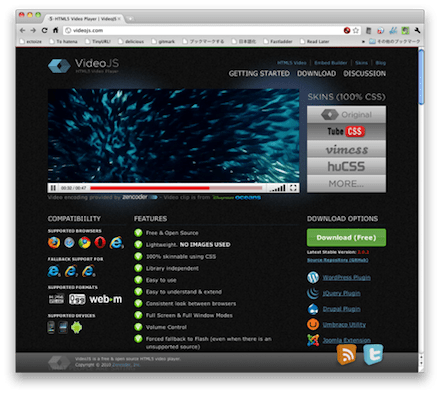
動画プレイヤーのJavaScriptとしては最も多機能でよく知られたソフトウェアだと思います。スキンのカスタマイズ、プラグインによる拡張がサポートされています。テーマやアイコンを追加することで自分たちのサイトに最適化された動画プレイヤーが作れるはずです。
videojs/video.js: Video.js – open source HTML5 & Flash video player
最近では動画コンテンツも増えています。そんな中では動画プレイヤーのUIにもこだわりが必要になります。機能面においても他サイトで当たり前になっている機能が提供されていないとユーザはストレスを感じるでしょう。
動画を上手に活用していくためにも今回紹介したようなソフトウェアをうまく利用してください。
hifiveは業務システム開発に特化しているのでjQuery UIやBootstrapと組み合わせて使われることが多くなっています。そこで今回はよく使われるライブラリについて、その組み合わせ方を紹介します。
今回はドラッグ&ドロップです。
デモコードについて
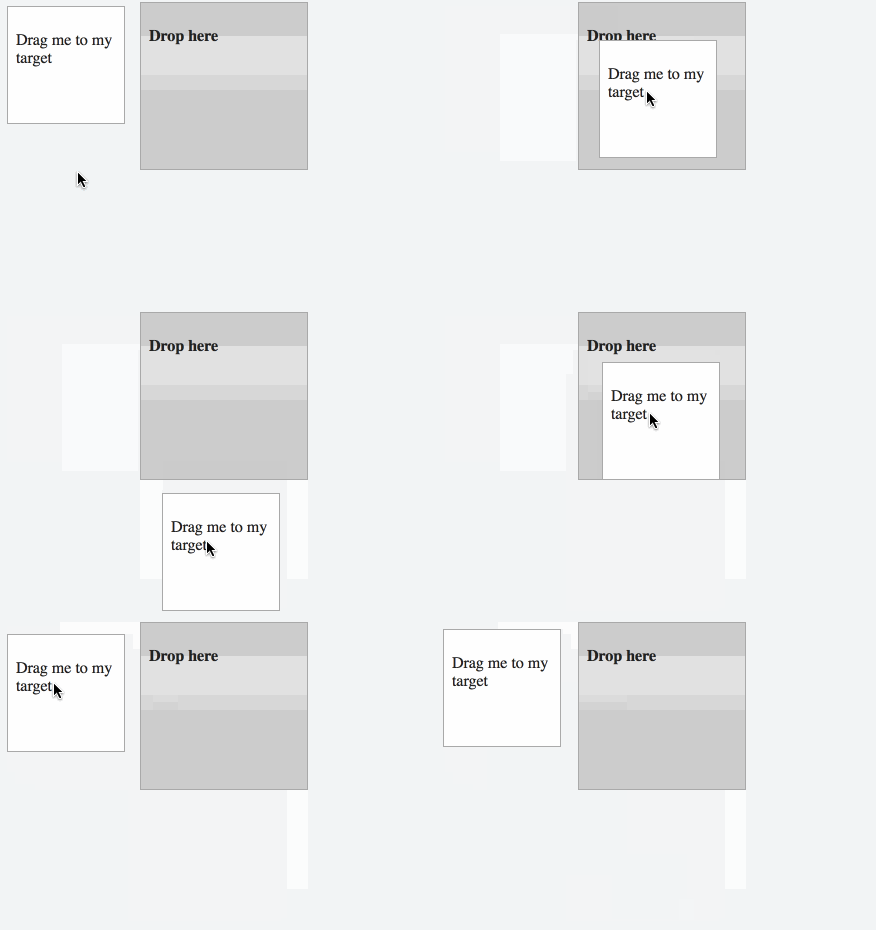
実際に動作するデモはJSFiddleにアップロードしてあります。各タブをクリックするとその下にあるコンテンツが切り替わるのが確認できます。
HTMLについて
まずHTMLですが、次のようにドラッグするDOM(#draggable)とドロップされるDOM(#droppable)を定義します。
This file contains hidden or bidirectional Unicode text that may be interpreted or compiled differently than what appears below. To review, open the file in an editor that reveals hidden Unicode characters.
Learn more about bidirectional Unicode characters
| <div id="container"> | |
| <div id="draggable" class="ui-widget-content"> | |
| <p>Drag me to my target</p> | |
| </div> | |
| <div id="droppable" class="ui-widget-header"> | |
| <p>Drop here</p> | |
| </div> | |
| </div> |
各要素についてスタイルシートを付けます。
This file contains hidden or bidirectional Unicode text that may be interpreted or compiled differently than what appears below. To review, open the file in an editor that reveals hidden Unicode characters.
Learn more about bidirectional Unicode characters
| #draggable { | |
| width: 100px; | |
| height: 100px; | |
| padding: 0.5em; | |
| float: left; | |
| margin: 10px 10px 10px 0; | |
| } | |
| #droppable { | |
| width: 150px; | |
| height: 150px; | |
| padding: 0.5em; | |
| float: left; | |
| margin: 10px; | |
| } |
JavaScriptについて
全体像は次のようになります。
This file contains hidden or bidirectional Unicode text that may be interpreted or compiled differently than what appears below. To review, open the file in an editor that reveals hidden Unicode characters.
Learn more about bidirectional Unicode characters
| $(function() { | |
| var controller = { | |
| __name: 'Drag&DropController', | |
| // 初期化処理 | |
| __ready: function() { | |
| }, | |
| // 要素がドロップされた時のコールバック | |
| drop: function(org, event, ui) { | |
| }, | |
| // 要素が外れた時のコールバック | |
| blur: function(org, event, ui) { | |
| } | |
| }; | |
| // コントローラの作成と要素へのバインド. | |
| h5.core.controller('#container', controller); | |
| }); |
初期化処理
初期化処理ではDOM要素に対してドラッグ&ドロップの有効化、そしてコールバックの指定を行います。that.ownWithOrgを使うことでコントロール化したhifiveのメソッドで受けられるようになります。
This file contains hidden or bidirectional Unicode text that may be interpreted or compiled differently than what appears below. To review, open the file in an editor that reveals hidden Unicode characters.
Learn more about bidirectional Unicode characters
| // 初期化処理 | |
| __ready: function() { | |
| var that = this; | |
| $('#draggable').draggable(); | |
| $('#droppable').droppable({ | |
| drop: that.ownWithOrg(that.drop), | |
| out: that.ownWithOrg(that.blur) | |
| }); | |
| }, |
要素がドロップされた時のコールバック
ドロップされた際にはクラスを追加して、文字を変更します。
This file contains hidden or bidirectional Unicode text that may be interpreted or compiled differently than what appears below. To review, open the file in an editor that reveals hidden Unicode characters.
Learn more about bidirectional Unicode characters
| // 要素がドロップされた時のコールバック | |
| drop: function(org, event, ui) { | |
| $(org).addClass('ui-state-highlight').find('p').html('Dropped!'); | |
| }, |
要素が外れた時のコールバック
要素が外れた際にはクラスを外して、文字を元に戻します。
This file contains hidden or bidirectional Unicode text that may be interpreted or compiled differently than what appears below. To review, open the file in an editor that reveals hidden Unicode characters.
Learn more about bidirectional Unicode characters
| // 要素が外れた時のコールバック | |
| blur: function(org, event, ui) { | |
| $(org).removeClass('ui-state-highlight').find('p').html('Drop here'); | |
| } |
このように実装することでhifiveとjQuery UIのドラッグ&ドロップをシームレスに連携させられるようになります。タブレットやスマートフォンで使うと便利な機能なのでぜひ参考にしてください。
実際に動作するデモはJSFiddleにアップロードしてあります。こちらも合わせてご覧ください。
カンバンと言うとトヨタで実践されてきたワークフローですが、IT業界ではタスク管理を可視化したボードの意味で使われます。特にアジャイルやスクラム開発と組み合わせて使われることが多いようです。
そんなカンバンをWebブラウザ上で再現できるソフトウェアを紹介します。そのまま使うのはもちろん、自社システムへの組み込みも考えられるでしょう。
anydown/kanbandown

Markdownで書かれたリストをカンバンに変換して表示します。カンバンの各タスクはドラッグ&ドロップで移動できます。そうするとMarkdown側の内容が変更される仕組みです。つまり相互に関連し合っています。
mikiakira/php-simple-kanban: A web app that was inspired by Trello and cloned only the “Kanban” function with PHP
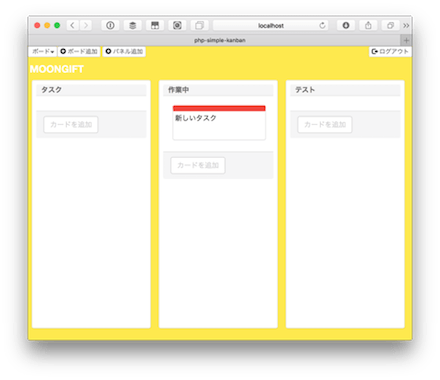
カンバンサービスで有名なTrelloを模したサービスです。バッグエンドはPHPで作られています。カンバンのボードは幾つでも作成できます。
i-break-codes/scrum-board: JavaScript Scrum App to manage tasks with ease

スクラム開発に合わせたカンバンになっています。タスクをダブルクリックするとリンクやテキストなどを編集できるようになっています。
i-break-codes/scrum-board: JavaScript Scrum App to manage tasks with ease
antoinejaussoin/retro-board: Retrospective Board
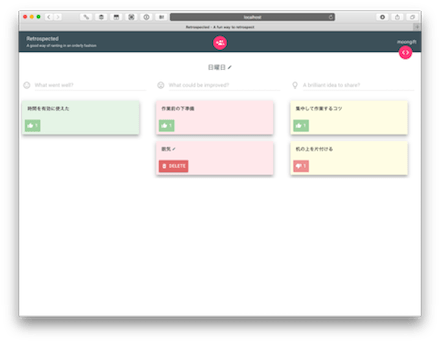
Reactを使って作られたカンバンシステムです。タスクをいいね(または悪いね)して評価できるようになっています。
antoinejaussoin/retro-board: Retrospective Board
sprintly/sprintly-kanban: A Kanban Board for Sprintly
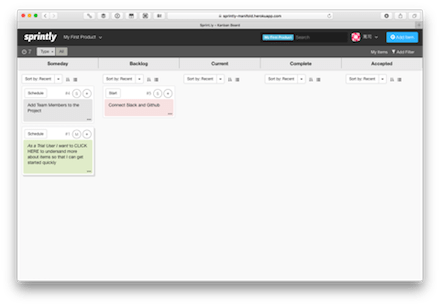
こちらもReactを使って作られています。ボタンが追加され、色分けできるなど、より多機能なカンバンシステムになっています。
sprintly/sprintly-kanban: A Kanban Board for Sprintly
kiswa/TaskBoard: A Kanban-inspired app for keeping track of things that need to get done. (Don’t forget to read the Wiki page!)
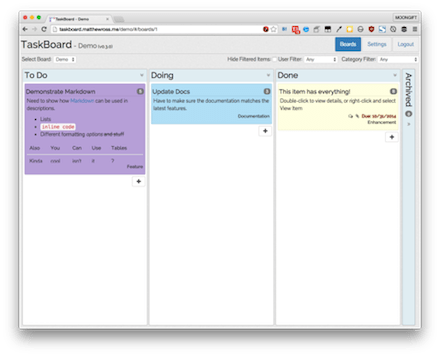
タスクにコメントをつけたり、添付ファイルを付けられるなど、かなり高機能な作りになっています。管理者としてログインし、ボードの設定を変更したりできます。
wekan/wekan: The open-source Trello-like kanban (built with Meteor)
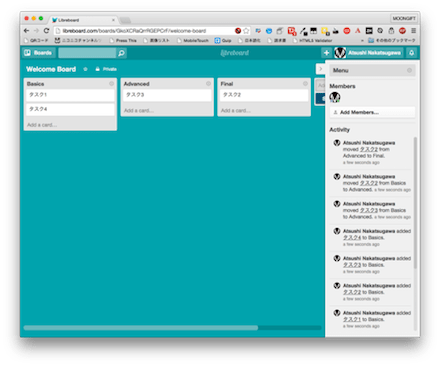
Trelloのクローンとして開発がスタートしています。チェックリストを追加したり、担当者を割り当てるなどプロジェクト管理で役立つ機能があります。Sandstormというプラットフォーム上で動作します。
wekan/wekan: The open-source Trello-like kanban (built with Meteor)
volpe28v/kanban-list: 「かんばん」風のタスク管理アプリ
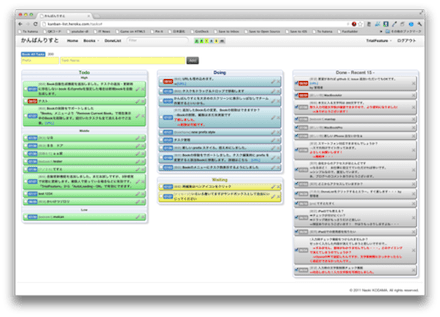
カンバンを使ったシンプルなタスク管理アプリです。ドラッグ&ドロップで状態の変更、チェックで完了といった機能しかありません。それだけにすぐに使い方を覚えられるので、とりあえずカンバンが何なのか試したいという時に便利ではないでしょうか。
volpe28v/kanban-list: 「かんばん」風のタスク管理アプリ
カンバン風のUIを実現するためにはWebアプリケーションのようにAjaxでデータを送って管理する仕組みであったり、HTML5のドラッグ&ドロップを扱う必要があります。簡単な仕組みですが、HTML5を手軽に体験するのにぴったりなコンセプトと言えそうです。
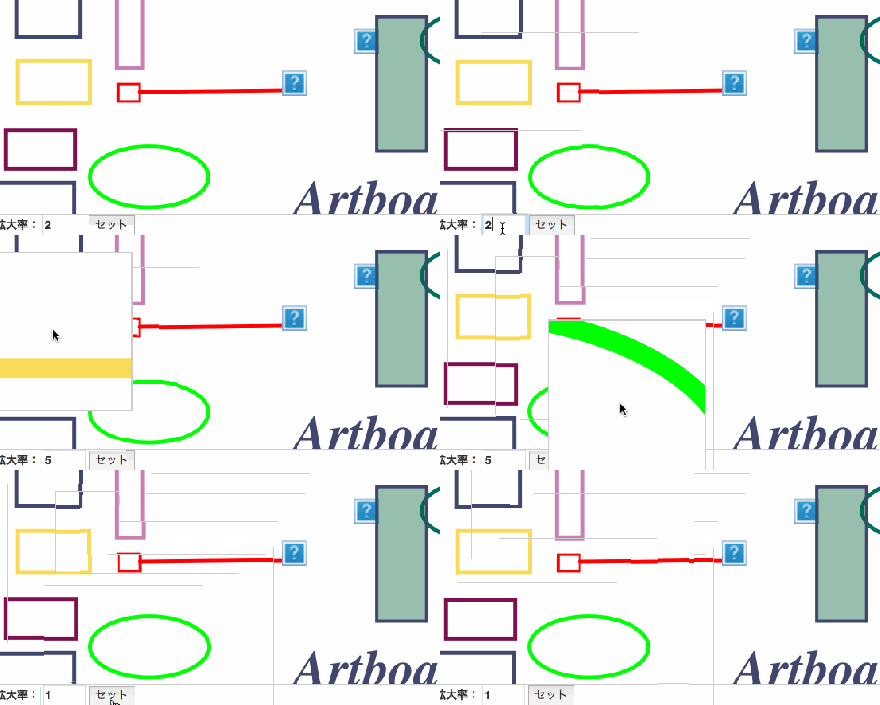
hifiveのUIライブラリにお絵かきボードがあります。こちらは写真に情報を追加したり、白紙の上に自分でイラストを書けるという機能ですが、もう一つの機能にMagnifier(拡大表示機能)があります。
実際のデモは下の画像になります。また、JSFiddle上で試すこともできます。
HTMLについて
HTMLはビューワーをDOMで定義するだけです。
This file contains hidden or bidirectional Unicode text that may be interpreted or compiled differently than what appears below. To review, open the file in an editor that reveals hidden Unicode characters.
Learn more about bidirectional Unicode characters
| <div class="viewer"> | |
| <div class="loadView"></div> | |
| </div> |
JavaScriptについて
JavaScript側では h5.ui.components.artboard.controller.ArtboardViewerController と h5.ui.components.artboard.controller.MagnifierController を使います。それぞれ表示するクラスを定義します(今回は ‘.loadView’)。
This file contains hidden or bidirectional Unicode text that may be interpreted or compiled differently than what appears below. To review, open the file in an editor that reveals hidden Unicode characters.
Learn more about bidirectional Unicode characters
| artboardViewerController: h5.ui.components.artboard.controller.ArtboardViewerController, | |
| magnifierController: h5.ui.components.artboard.controller.MagnifierController, | |
| __meta: { | |
| artboardViewerController: { | |
| rootElement: '.loadView' | |
| }, | |
| magnifierController: { | |
| rootElement: '.loadView' | |
| } | |
| }, |
さらに __ready イベントにてデータを読み込みます。データはSVGで定義します。
This file contains hidden or bidirectional Unicode text that may be interpreted or compiled differently than what appears below. To review, open the file in an editor that reveals hidden Unicode characters.
Learn more about bidirectional Unicode characters
| __ready: function() { | |
| this._load(SAMPLE_SAVE_DATA); | |
| }, | |
| _load: function(saveData) { | |
| this.artboardViewerController.load( | |
| saveData, | |
| this.$find('.loadView').hasClass('fixSize') | |
| ); | |
| this._createMagnifier(); | |
| }, |
データを読み込んだら拡大表示処理を行います。拡大率、拡大するサイズを指定します。
This file contains hidden or bidirectional Unicode text that may be interpreted or compiled differently than what appears below. To review, open the file in an editor that reveals hidden Unicode characters.
Learn more about bidirectional Unicode characters
| _createMagnifier: function() { | |
| this.mag = this.magnifierController.createMagnifier( | |
| this.$find('.loadView'), { | |
| scale: 2, | |
| width: 200, | |
| height: 200, | |
| mouseover: true | |
| }); | |
| } |
全体のコードは次のようになります。
This file contains hidden or bidirectional Unicode text that may be interpreted or compiled differently than what appears below. To review, open the file in an editor that reveals hidden Unicode characters.
Learn more about bidirectional Unicode characters
| $(function() { | |
| var controller = { | |
| __name: 'PageController', | |
| artboardViewerController: h5.ui.components.artboard.controller.ArtboardViewerController, | |
| magnifierController: h5.ui.components.artboard.controller.MagnifierController, | |
| __meta: { | |
| artboardViewerController: { | |
| rootElement: '.loadView' | |
| }, | |
| magnifierController: { | |
| rootElement: '.loadView' | |
| } | |
| }, | |
| mag: null, | |
| __ready: function() { | |
| this._load(SAMPLE_SAVE_DATA); | |
| }, | |
| _load: function(saveData) { | |
| this.artboardViewerController.load( | |
| saveData, | |
| this.$find('.loadView').hasClass('fixSize') | |
| ); | |
| this._createMagnifier(); | |
| }, | |
| _createMagnifier: function() { | |
| this.mag = this.magnifierController.createMagnifier( | |
| this.$find('.loadView'), { | |
| scale: 2, | |
| width: 200, | |
| height: 200, | |
| mouseover: true | |
| }); | |
| } | |
| }; | |
| $('.viewer').each(function() { | |
| h5.core.controller(this, controller); | |
| }); | |
| }); |
動いているデモをJSFiddle上で試すことができます。ぜひお試しください。
大画面モニタやRatinaディスプレイの普及により、拡大しても画像が劣化しないベクターグラフィックス(SVG)の利用が増えています。そんなSVGをJavaScriptで簡単に利用できるライブラリをまとめて紹介します。
Snap.svg

Snap.svgはベクターグラフィックに特化し、アニメーション機能も備え、より高度にグラフィックスを操作できるライブラリです。Snap.svgは最新のブラウザ用に設計されていますのでマスキング、クリッピング、パターン、フルグラデーション、グループ機能など最新のSVGの機能をサポートしています。Snap.svgを導入することで、より自在にSVGを扱えるようになるのではないでしょうか。
jQueryライクな操作 svg.js
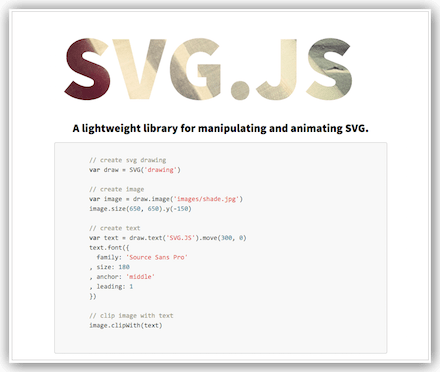
svg.jsはjQueryライクに操作できるSVGライブラリです。圧縮時は約53kb程度と軽量になっています。このサイズでベクターグラフィックスのすべての機能とイベントによる描画、アニメーションなどを備えています。jQueryに慣れていれば、SVGが簡単に扱えることでしょう。
svg.js – A lightweight JavaScript library for manipulating and animating svg
SVGとCANVAS、WEBGLを利用したい時に Two.js
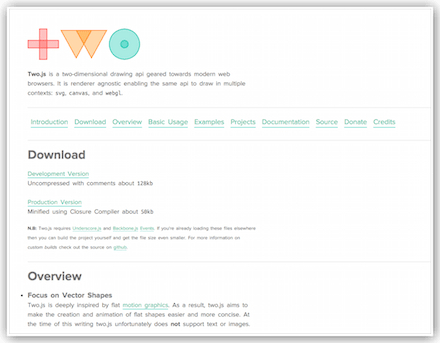
Two.jsはSVGの他、CanvasやWebGLを利用できるライブラリです。ベクターグラフィックをWebで使用する際の描画方法を選択するのですが、記述方法はそれぞれの描画APIをラップしているので、同様のコードで記述できます。これにより、ブラウザによって使い分ける必要がないので、クロスブラウザ対策として非常に有効なライブラリとなるでしょう。
SVGでキーフレームアニメーション BonsaiJS
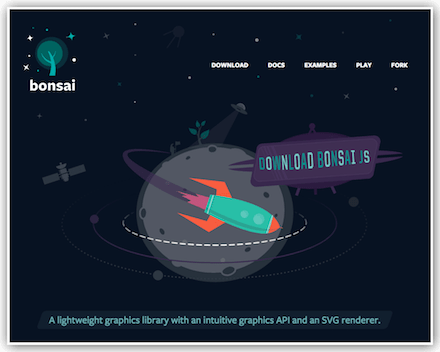
BonsaiJSはSVGレンダラーを搭載した、キーフレームアニメーションをサポートするライブラリです。パスやグループ、フィルター処理、画像描画にも対応し、モーフィングも可能です。Flashのキーフレームアニメーションの代替えを考えている場合は、利用を検討しても良さそうです。
まとめ
JavaScriptでSVGグラフィックを利用するにはSVG DOMを利用しますが、そのままでは複雑な要素・プロパティ・メソッドなどを操作する必要があるためコードが煩雑または冗長化してしまいます。今回ご紹介したようなライブラリを利用することでコードが簡素になるばかりではなく、メンテナンス性があがります。ぜひ利用を検討して下さい。
hifiveはフレームワークですが、業務システムでよく使われるUIについてはライブラリとして提供しています。今回は操作中によく表示されるポップアップ、モーダル表示を行うポップアップライブラリを紹介します。
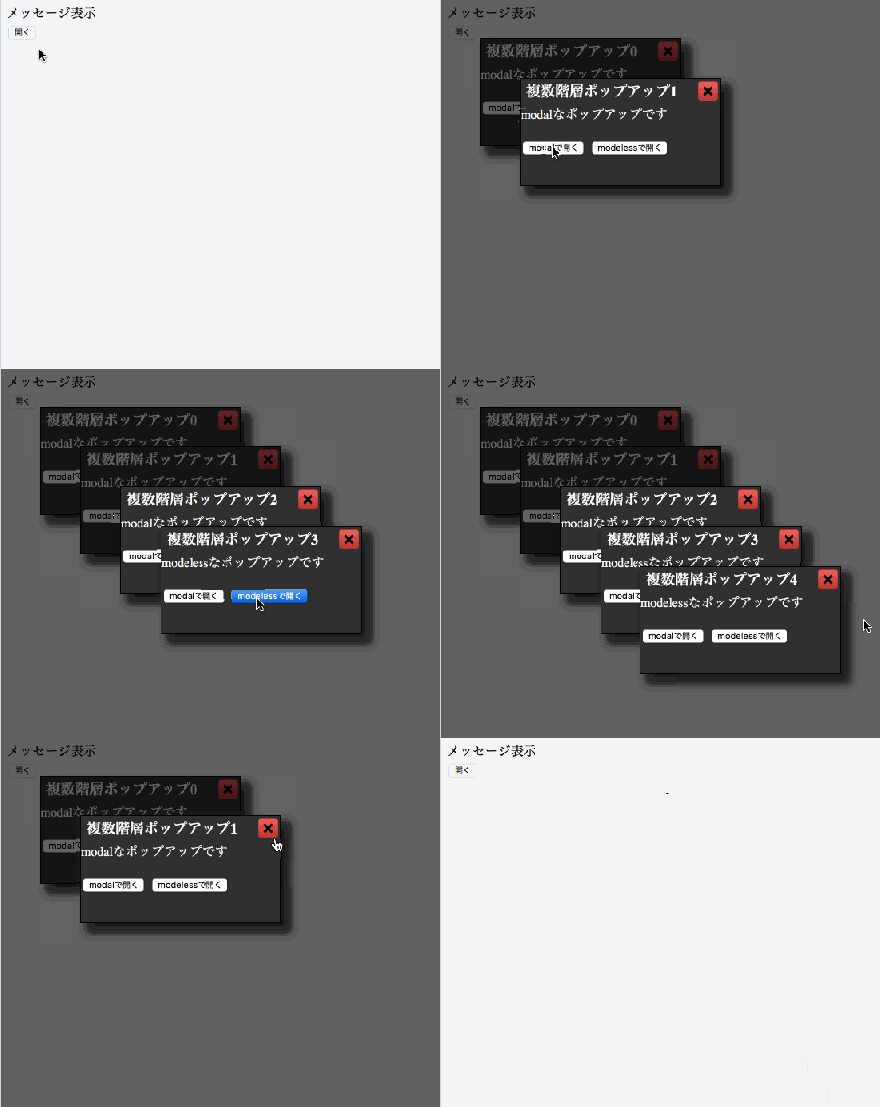
今回はモーダルを複数回表示する方法を紹介します。実際に動いているデモはこちらにあります。アニメーションは次のようになります。
使い方
まずpopup.jsとpopup.cssを読み込みます。
This file contains hidden or bidirectional Unicode text that may be interpreted or compiled differently than what appears below. To review, open the file in an editor that reveals hidden Unicode characters.
Learn more about bidirectional Unicode characters
次にHTMLを次のように記述します。ボタンを押したらポップアップが表示されます。さらに表示されたダイアログにもイベントがあるので、ejsでテンプレートを定義しておきます。
This file contains hidden or bidirectional Unicode text that may be interpreted or compiled differently than what appears below. To review, open the file in an editor that reveals hidden Unicode characters.
Learn more about bidirectional Unicode characters
| <div class="sample-wrap"> | |
| <label>メッセージ表示</label><br> | |
| <button class="draggable-popup">開く</button> | |
| </div> | |
| <script type="text/ejs" id="multi-popup"> | |
| <div>[%= modal ? 'modal' : 'modeless' %]なポップアップです</div> | |
| <br> | |
| <div> | |
| <button class="modal">modalで開く</button> | |
| <button class="modeless">modelessで開く</button> | |
| </div> | |
| </script> |
JavaScriptの実装は次のようになります。全部で3つに分かれています。まず一番最初のポップアップを表示する処理です。
This file contains hidden or bidirectional Unicode text that may be interpreted or compiled differently than what appears below. To review, open the file in an editor that reveals hidden Unicode characters.
Learn more about bidirectional Unicode characters
| (function($) { | |
| var pageController = { | |
| __name: 'PageController', | |
| 'button.draggable-popup click': function(context, $el) { | |
| sample.showPopup(true); | |
| }, | |
| }; | |
| h5.core.expose(pageController); | |
| })(jQuery); | |
| $(function() { | |
| h5.core.controller('body', PageController); | |
| }); |
この処理では sample.showPopup を実行しています。この処理は次のようになります。表示したポップアップの数を記録しておいて、それによって表示位置をずらしています。
This file contains hidden or bidirectional Unicode text that may be interpreted or compiled differently than what appears below. To review, open the file in an editor that reveals hidden Unicode characters.
Learn more about bidirectional Unicode characters
| (function($) { | |
| var count = 0; | |
| h5.u.obj.expose('sample', { | |
| showPopup: function(modal) { | |
| var content = h5.core.view.get('multi-popup', { | |
| modal: modal | |
| }); | |
| var popup = h5.ui.popupManager.createPopup('sample' + count, '複数階層ポップアップ' + count, content, PopupController, { | |
| draggable: true | |
| }); | |
| count++; | |
| popup.setContentsSize(250, 100); | |
| popup.show({ | |
| overlay: modal | |
| }); | |
| popup.setPosition(null, { | |
| top: count * 50, | |
| left: count * 50 | |
| }); | |
| return popup; | |
| } | |
| }); | |
| })(jQuery); |
最後にポップアップ内のイベントハンドリング処理です。
This file contains hidden or bidirectional Unicode text that may be interpreted or compiled differently than what appears below. To review, open the file in an editor that reveals hidden Unicode characters.
Learn more about bidirectional Unicode characters
| (function($) { | |
| var popupController = { | |
| __name: 'PopupController', | |
| '.modal click': function() { | |
| sample.showPopup(true); | |
| }, | |
| '.modeless click': function() { | |
| sample.showPopup(false); | |
| } | |
| }; | |
| h5.core.expose(popupController); | |
| })(jQuery); |
実際に動いているデモはこちらにあります。JavaScript標準のアラートに比べて表示のカスタマイズや細かなハンドリングができますのでぜひお使いください。
Webアプリケーションの機能デモなどを一覧で表示する際にはスクリーンショットを使うのが一般的です。しかし画像になってしまうため、動きがあるデモであったり、クリックイベントなどがあっても今ひとつ分かりづらいのではないでしょうか。
そこでWebサイトをそのまま使ってサムネイル表示する方法が紹介されていますので、簡単に試してみたいと思います。
iframeを使う
コツとしてはiframeを使って、サムネイル化したいWebサイトをsrcに指定します。
This file contains hidden or bidirectional Unicode text that may be interpreted or compiled differently than what appears below. To review, open the file in an editor that reveals hidden Unicode characters.
Learn more about bidirectional Unicode characters
| <div class="thumbnail"> | |
| <iframe src="http://www.htmlhifive.com/ja/gallery/hr-workflow/"></iframe> | |
| </div> |
そして、スタイル設定を使ってサイズを指定します。
This file contains hidden or bidirectional Unicode text that may be interpreted or compiled differently than what appears below. To review, open the file in an editor that reveals hidden Unicode characters.
Learn more about bidirectional Unicode characters
| .thumbnail iframe { | |
| width: 1440px; | |
| height: 900px; | |
| } |
これだけでは1440×900で表示されるだけなので、CSS3のtransformを使ってサイズを縮めます。
This file contains hidden or bidirectional Unicode text that may be interpreted or compiled differently than what appears below. To review, open the file in an editor that reveals hidden Unicode characters.
Learn more about bidirectional Unicode characters
| .thumbnail { | |
| position: relative; | |
| -ms-zoom: 0.25; | |
| -moz-transform: scale(0.25); | |
| -moz-transform-origin: 0 0; | |
| -o-transform: scale(0.25); | |
| -o-transform-origin: 0 0; | |
| -webkit-transform: scale(0.25); | |
| -webkit-transform-origin: 0 0; | |
| } |
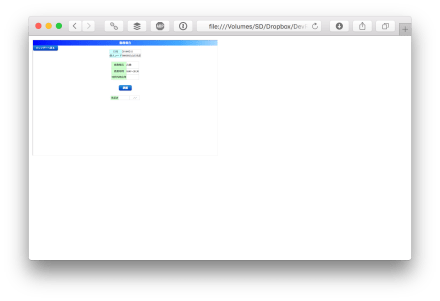
このように指定することで25%表示になります。
操作もできる
これの面白い点としてはクリックはもちろん、小さいですが入力も行うことができるということです。
使えない場合
iframeによる埋め込みを許可していないサイトでは使えませんのでご注意ください。
Simulating Website Thumbnails using Iframes — Mediumでは他にもオンマウスで外れるぼかしをつけたり、読み込みが終わるまでは別な画像を表示するテクニックが紹介されています。なお、transform自体はIE9以降でサポートされていますので、幅広いブラウザで使える手法と言えそうです。
ぜひお試しください!
画像編集というとローカルOSで行ったり、サーバサイドで行うような処理に感じますが、最近ではWebブラウザ側でも十分に行えるようになっています。そのために使われるのがHTML5で標準になったCanvasです。
今回はこのCanvasを使ってクライアントサイドでの画像編集を実現するJavaScriptライブラリを紹介します。
grafijs/grafi

画像のネガポジ反転、ぼかし、シャープ、グレースケール加工などをメソッドを実行するだけで実現します。一部の機能はサポートされていないことがあります。 grafi.solarize(img) のような形でメソッドを実行するだけです。
alexmic/filtrr: Instagram-like image filters in pure JavaScript.

Instagram風の画像加工が行えるライブラリです。多数のエフェクトがあらかじめ作成されており、それに合わせて実行するだけです。画像を手軽に良い感じに加工してくれるライブラリとして重宝するでしょう。
alexmic/filtrr: Instagram-like image filters in pure JavaScript.
jseidelin/pixastic: JavaScript Image Processing Library
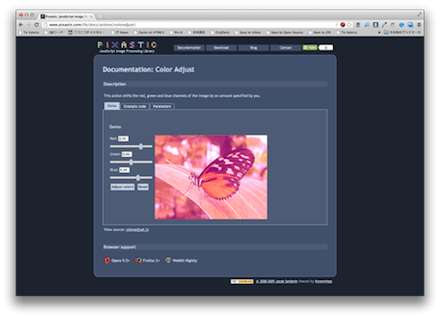
一枚の画像に対する処理はもちろん、複数の画像を重ねて表示するような処理もできます。エッジ検出やノイズを載せるような複雑な処理もできます。
jseidelin/pixastic: JavaScript Image Processing Library
rendro/vintageJS: Add a retro/vintage effect to images using the HTML5 canvas element
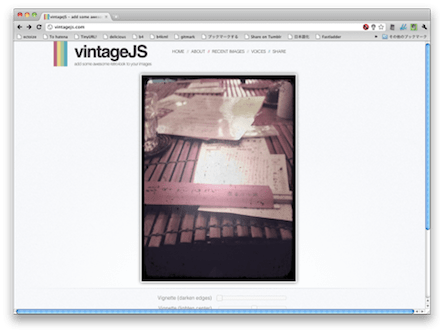
画像をビンテージ風に加工してくれるエフェクトライブラリです。パラメータで細かく指定もできます。
rendro/vintageJS: Add a retro/vintage effect to images using the HTML5 canvas element
knt5/fur-shader: 🐈 Make everything fluffy (mofumofu)

画像に短い毛を生やしつつ揺らすことでモフモフ感を出すライブラリです。普通の画像とはまた違った楽しさが生まれます。
knt5/fur-shader: 🐈 Make everything fluffy (mofumofu)
Specro/Philter: Philter is a JS plugin giving you the power to control CSS filters with HTML attributes.
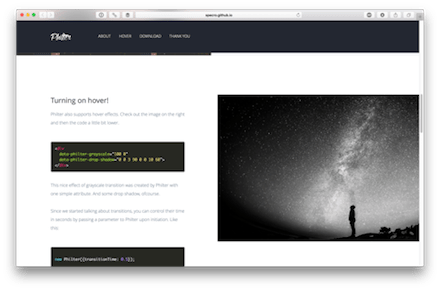
CSSのフィルタを使って画像加工をします。マウスオーバーと組み合わせたり、徐々に変化させることで写真をより印象づけられます。
errozero/glitchatron: Glitch Art Generator
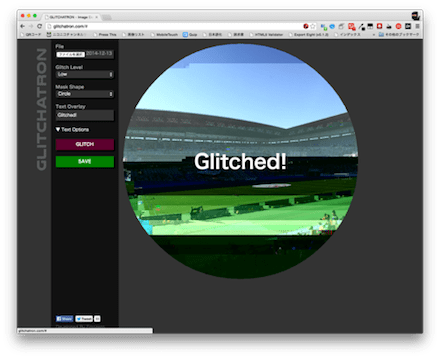
グリッチと呼ばれるデータが壊れた雰囲気の加工ができるライブラリです。使いどころは限られますが、パラメータで何度も加工を繰り返せるのは利点です。
errozero/glitchatron: Glitch Art Generator
karlhorky/gray: Make an image grayscale in all browsers
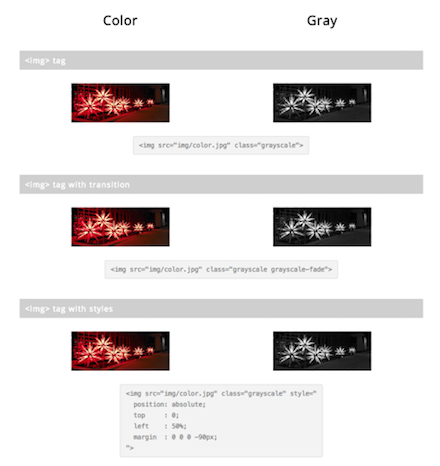
様々な手段で画像をグレースケール化します。CSSだけ、JavaScript、画像のタグ、スプライト画像への適用などです。JavaScriptでの画像なので、グレースケール化を解除するのも簡単です。
karlhorky/gray: Make an image grayscale in all browsers
arahaya/ImageFilters.js: A Javascript Image filter library for the HTML5 canvas tag.

画像に対して40種類以上の多彩なフィルタリングができます。各パラメータも細かく指定できますので、細かく調整ができます。
arahaya/ImageFilters.js: A Javascript Image filter library for the HTML5 canvas tag.
これらのWebブラウザベースの画像加工ではCanvas APIやCSS3のフィルタが使われています。それらをJavaScriptから操作することでクライアントサイドだけで、何度も繰り返し適用できるエフェクトが実現できます。
サーバサイドで行う場合、オリジナルと加工後の画像を保存しておく必要がありますが、Webブラウザベースであればパラメータだけ保存しておけばよくなるでしょう。ぜひ活用してください。
hifiveはフレームワークですが、業務システムでよく使われるUIについてはライブラリとして提供しています。今回は操作中によく表示されるポップアップ、モーダル表示を行うポップアップライブラリを紹介します。
今回は画面の最上部に表示する方法を紹介します。実際に動いているデモはこちらにあります。アニメーションは次のようになります。

使い方
まずpopup.jsとpopup.cssを読み込みます。
This file contains hidden or bidirectional Unicode text that may be interpreted or compiled differently than what appears below. To review, open the file in an editor that reveals hidden Unicode characters.
Learn more about bidirectional Unicode characters
次にHTMLを次のように記述します。ボタンを押したらポップアップが表示されます。
This file contains hidden or bidirectional Unicode text that may be interpreted or compiled differently than what appears below. To review, open the file in an editor that reveals hidden Unicode characters.
Learn more about bidirectional Unicode characters
| <div class="sample-wrap"> | |
| <label>メッセージ表示</label><br> | |
| <button class="top-popup">開く</button> | |
| </div> |
JavaScriptの実装は次のようになります。ボタンをクリックされた時のイベントで、 h5.ui.popupManager.createPopup を実行します。タイトル、本文を指定します。その後、 setPosition メソッドで表示場所の指定を行い、さらに setContentsSize を使ってポップアップのサイズを指定します。最後に show メソッドを実行します。
This file contains hidden or bidirectional Unicode text that may be interpreted or compiled differently than what appears below. To review, open the file in an editor that reveals hidden Unicode characters.
Learn more about bidirectional Unicode characters
| (function($) { | |
| var pageController = { | |
| __name: 'PageController', | |
| 'button.draggable-popup click': function(context, $el) { | |
| h5.ui.popupManager.createPopup('sample', 'ドラッグ可能ポップアップ', 'サンプルです', null, { | |
| draggable: true | |
| }).show(); | |
| }, | |
| }; | |
| h5.core.expose(pageController); | |
| })(jQuery); | |
| $(function() { | |
| h5.core.controller('body', PageController); | |
| }); |
実際に動いているデモはこちらにあります。JavaScript標準のアラートに比べて表示のカスタマイズや細かなハンドリングができますのでぜひお使いください。
Web上でプログラミングを学習できるサービスは数多くありますが、単なる座学で見ているだけではなかなか身につきません。プログラミングはやはり手を動かして学ぶ必要があるでしょう。
ということでWeb上で手を動かしてプログラミングを学習できるサービスを紹介します。
CodeCombat

ゲームを通じてプログラミングを学べるサービスです。幼稚園レベルから高校生まで3段階に分かれています。最初からコードを書いていくので、正しい構造で学べるのが利点とのことです。
CodeCombat – Learn how to code by playing a game
Progate

イラスト中心のスライドで学び、実際に手を動かして作りながら学びます。実践的な教材を採用することにより、現場で使える技術が身につくようになります。
Progate | プログラミングの入門なら基礎から学べるProgate[プロゲート]
CODEPREP

穴埋め式ドリル形式になっているのでテンポ良く学べるようになっています。テキストが用意されており、それをベースに実際に記述しながら学んでいけるようになっています。
CODEPREP | プログラムを書いて動かしながら学ぶ実践型のプログラミング学習サービス
Thimble

Mozillaの作成したHTML/JavaScript/CSSが学べる環境になります。お題に合わせてHTMLを編集したり、JavaScriptを開発して進めていきます。
Thimble by Mozilla – An online code editor for learners & educators.
CodinGame

ゲームの開発を通じてプログラミングを学習できます。ゲーム自体はかなり本格的なものになっていますので、ゲーム開発についても深く理解ができるでしょう。
Coding Games and Programming Challenges to Code Better
シラバス(Cyllabus)

マネして学べる、プログラミング学習サイトというコンセプトのWebサービスです。JavaScriptはありませんが、HTML/CSSを使ってWebサイトをレスポンシブに対応させるところまで学習できます。
シラバス(Cyllabus) – キュレーション型 eラーニングシステム
手を動かすことでちゃんと正解しながら一歩ずつステップアップしていけます。なんとなく通過してしまうことがないのできちんと身につくはずです。ぜひ初学者の方はこうした体験型サービスで学んでみてください。
 hifive開発者ブログ