JavaScript(ECMAScript5)ではクラスを作成することができません。ECMAScript2015になって、ようやくクラスを使えるようになりました。しかしレガシーなブラウザでは実装されていないため、Babelのようなライブラリを使ってコードを変換するのが一般的です。
JavaScriptではprototypeやdefinePropertyなどを使ってクラス(的なもの)を実装しますが、hifiveではそういった面倒な仕組みを意識することなくクラスを実装できるモジュールを開発しました。この機能は1.3.1以降で利用できます。
今回は親クラスの取得方法について紹介します。
クラスの構造について
クラスや親クラスとしてAnimalClass、それらを継承するDogClassがあることとします。
This file contains hidden or bidirectional Unicode text that may be interpreted or compiled differently than what appears below. To review, open the file in an editor that reveals hidden Unicode characters.
Learn more about bidirectional Unicode characters
| var AnimalClass = h5.cls.RootClass.extend(function (super_) { | |
| return { | |
| // クラス名(完全修飾名) | |
| name: 'AnimalClass', | |
| // クラスのフィールド定義 | |
| field: { | |
| _name: null | |
| }, | |
| // クラスのメソッド定義 | |
| method: { | |
| constructor: function (params) { | |
| // 親クラスのコンストラクタ呼び出し | |
| super_.constructor.call(this); | |
| this._name = params; | |
| }, | |
| hello: function() { | |
| return this._name; | |
| }, | |
| cry: function(name, voice) { | |
| return name + "'s crying voice is " + voice; | |
| } | |
| } | |
| }; | |
| }); | |
| var DogClass = AnimalClass.extend(function (super_) { | |
| return { | |
| name: 'DogClass', | |
| field: { | |
| _voice: { | |
| defaultValue: 'bow wow' | |
| } | |
| }, | |
| method: { | |
| constructor: function (params) { | |
| super_.constructor.call(this, params); | |
| }, | |
| cry: function() { | |
| return super_.cry(this._name, this._voice); | |
| } | |
| } | |
| } | |
| }); | |
DogClassの親クラスを取得するには getParentClass メソッドを実行します。
This file contains hidden or bidirectional Unicode text that may be interpreted or compiled differently than what appears below. To review, open the file in an editor that reveals hidden Unicode characters.
Learn more about bidirectional Unicode characters
| Animal.DogClass.getParentClass() |
この返却されるクラスはAnimalClassと同じものになります。
This file contains hidden or bidirectional Unicode text that may be interpreted or compiled differently than what appears below. To review, open the file in an editor that reveals hidden Unicode characters.
Learn more about bidirectional Unicode characters
| Animal.DogClass.getParentClass() === Animal.AnimalClass | |
| // -> true |
今回のコードはJSFiddleにアップロードしてあります。実装時の参考にしてください。
継承している中で親クラスが何であるかを指定するケースはよくあります。そうした時には getParentClass メソッドを活用してください。
JavaScript(ECMAScript5)ではクラスを作成することができません。ECMAScript2015になって、ようやくクラスを使えるようになりました。しかしレガシーなブラウザでは実装されていないため、Babelのようなライブラリを使ってコードを変換するのが一般的です。
JavaScriptではprototypeやdefinePropertyなどを使ってクラス(的なもの)を実装しますが、hifiveではそういった面倒な仕組みを意識することなくクラスを実装できるモジュールを開発しました。この機能は1.3.1以降で利用できます。
今回はクラス変数の使い方について紹介します。
ベースになるクラスについて
ベースになるクラスは id というフィールドを持っていることとします。このidはクラス変数として定義された値を返します。
This file contains hidden or bidirectional Unicode text that may be interpreted or compiled differently than what appears below. To review, open the file in an editor that reveals hidden Unicode characters.
Learn more about bidirectional Unicode characters
| var HelloClass = h5.cls.RootClass.extend(function (super_) { | |
| var id = 0; | |
| return { | |
| // クラス名(完全修飾名) | |
| name: 'HelloClass', | |
| // クラスのフィールド定義 | |
| field: { | |
| _id: null | |
| }, | |
| accessor: { | |
| id: { | |
| get: function() { | |
| return id; | |
| }, | |
| set: function(i) { | |
| id = i; | |
| } | |
| } | |
| }, | |
| // クラスのメソッド定義 | |
| method: { | |
| constructor: function (params) { | |
| // 親クラスのコンストラクタ呼び出し | |
| super_.constructor.call(this); | |
| id++; | |
| } | |
| } | |
| }; | |
| }); |
インスタンスが作られる度に id がインクリメントされていきます。そのため、この HelloClass のインスタンスが呼ばれる度にインスタンスのidの値が変わる仕組みです。
This file contains hidden or bidirectional Unicode text that may be interpreted or compiled differently than what appears below. To review, open the file in an editor that reveals hidden Unicode characters.
Learn more about bidirectional Unicode characters
| var hello1 = Hello.HelloClass.create(); | |
| hello1.id | |
| // -> 1 | |
| var hello2 = Hello.HelloClass.create(); | |
| hello2.id | |
| // -> 2 |
そして、このidはクラス変数として定義していますので、インスタンス全体で共通管理されます。例えばあるインスタンスでidを書き換えてみます。
This file contains hidden or bidirectional Unicode text that may be interpreted or compiled differently than what appears below. To review, open the file in an editor that reveals hidden Unicode characters.
Learn more about bidirectional Unicode characters
| hello2.id = 10; |
そうすると、別なインスタンスの値も書き換わります。
This file contains hidden or bidirectional Unicode text that may be interpreted or compiled differently than what appears below. To review, open the file in an editor that reveals hidden Unicode characters.
Learn more about bidirectional Unicode characters
| hello1.id | |
| -> 10 |
この id はクラス内のスコープで管理される変数なので、書き換える仕組みを用意しなければ外部から書き換えられることなく安全に利用できるようになります。目的に応じて使ってみてください。
今回のコードはJSFiddleにアップロードしてあります。実装時の参考にしてください。
変数のスコープを適切に管理すれば、クラス設計とその利用がより簡単になることでしょう。ぜひhifiveのクラスモジュールを使いこなしてください。
JavaScriptが広く使われていく中でコーディングスタンダードが重要になってきます。一定の基準に基づいて記述していくことで全体の品質を担保できるようになっていきます。
今回は各社、各JavaScriptプロジェクトがリリースしているコーディングスタンダードについてまとめました。
airbnb/javascript: JavaScript Style Guide
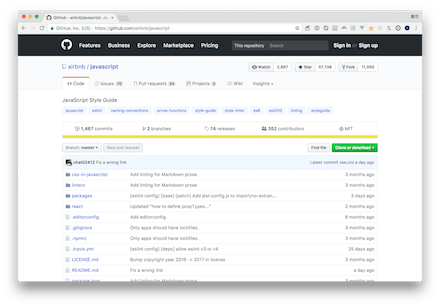
民泊サービスで知られるAirbnbの作っているコーディングスタンダードです。ESLintで候補として表示されるほど標準的なコーディングスタンダードとして知られています。
airbnb/javascript: JavaScript Style Guide
Dojo Style Guide — The Dojo Toolkit – Reference Guide

JavaScriptのフレームワークであるDojoの提供しているコーディングスタンダードです。
Dojo Style Guide — The Dojo Toolkit – Reference Guide
Google JavaScript Style Guide 和訳 — Google JavaScript Style Guide 和訳
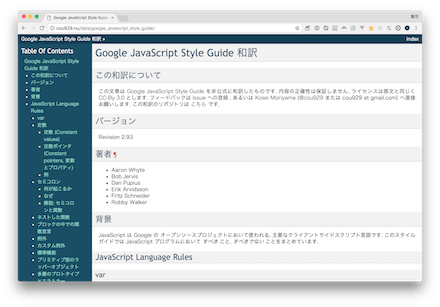
GoogleもESLintの標準で候補として表示されます。GoogleはAngularやGWTなど多数のJavaScriptライブラリを開発しています(AngularはTypeScriptベースですが)。その知見を得るためにも使ってみると良さそうです。
Google JavaScript Style Guide 和訳 — Google JavaScript Style Guide 和訳
JavaScript Standard Style

専用のLintツールとも合わせて提供されているスタイルガイドです。セミコロンは不要としていたり、インデントはスペース2つ、キーワードの後はスペースを付けるなどルールが明確にまとまっています。
JavaScript Style Guide | Contribute to jQuery

jQueryのコーディングスタンダードです。歴史の長いライブラリだけに、その品質を一定化するためにコーディングスタンダードがまとまっています。長期的にJavaScriptをメンテナンスしていくためにも参考にすべきではないでしょうか。
JavaScript Style Guide | Contribute to jQuery
Mozilla コーディングスタイルガイド – Mozilla | MDN

Mozillaの提供するコーディングスタンダードです。なお、これはJavaScriptだけでなくCやPythonなど他の言語を記述する際の規定も含まれています。Mozillaのコードにコントリビュートする上での規約と言えます。
Mozilla コーディングスタイルガイド – Mozilla | MDN
felixge/node-style-guide: A guide for styling your node.js / JavaScript code. Fork & adjust to your taste.

Node.jsのコーディングスタンダードです。正しいコードと間違った書き方がまとまっており、どう書くべきかが分かりやすくなっています。定数の書き方なども指定されているので他の人が見たときにも分かりやすいコードになるでしょう。
有名なところとしてはAirbnb、Google、jQueryになるかと思います。こうしたコーディングスタンダードを自社でまとめると理由付けなどが大変なところもあり、他社のものをベースにしながら自社のオリジナルを出していくのが良いかと思います。
特にESLintなどのLintツールに対応した形でコーディングスタンダードがまとめられると使いやすくなるでしょう。単純な明文化より、チェックするツールと連携しているのが大事です。
Webシステムの開発時においてイベント通知はよく使われます。例えばjQueryでボタンを押した時のイベントは次のように設定されます。
This file contains hidden or bidirectional Unicode text that may be interpreted or compiled differently than what appears below. To review, open the file in an editor that reveals hidden Unicode characters.
Learn more about bidirectional Unicode characters
| $('button').on('click', function(e) { | |
| // 何かの処理 | |
| }); |
こうした通知機能を任意のオブジェクトに追加できるのがhifiveのイベント通知機能になります。今回はその基本的な実装方法について紹介します。
mixを使う
まずオブジェクトに対して eventDispatcher を追加します。これは Prototype に対して追加します。
This file contains hidden or bidirectional Unicode text that may be interpreted or compiled differently than what appears below. To review, open the file in an editor that reveals hidden Unicode characters.
Learn more about bidirectional Unicode characters
| function ObservableArray() { | |
| }; | |
| h5.mixin.eventDispatcher.mix(ObservableArray.prototype); |
次にそのオブジェクトのインスタンスを作ります。
This file contains hidden or bidirectional Unicode text that may be interpreted or compiled differently than what appears below. To review, open the file in an editor that reveals hidden Unicode characters.
Learn more about bidirectional Unicode characters
| var observableArray = new ObservableArray; |
この時点でインスタンスに対して addEventListener / removeEventListener が追加されています。通知を受け取るイベント名を設定し、その後実行する処理内容を記述します。
This file contains hidden or bidirectional Unicode text that may be interpreted or compiled differently than what appears below. To review, open the file in an editor that reveals hidden Unicode characters.
Learn more about bidirectional Unicode characters
| observableArray.addEventListener('changeBefore', function(e) { | |
| console.log('changeBefore', e); | |
| }); | |
| observableArray.addEventListener('change', function(e) { | |
| console.log('change', e); | |
| }); |
後は任意のタイミングで dispatchEvent を実行します。typeとしてイベントの名前、後は任意のハッシュキーでデータを送れます。
This file contains hidden or bidirectional Unicode text that may be interpreted or compiled differently than what appears below. To review, open the file in an editor that reveals hidden Unicode characters.
Learn more about bidirectional Unicode characters
| observableArray.dispatchEvent({ | |
| type: 'change', | |
| data: this, | |
| }); |
イベント通知は複数の関数を設定できます。イベント通知、いわゆるPubSub型であればオブジェクト側では処理した後に何の関数を呼び出すかといった意識をする必要がありません。各クラスのメソッドに追加しておくことで、オブジェクト間の通信がスムーズになることでしょう。
今回のコードはJSFiddleにアップロードしてあります。実装時の参考にしてください。
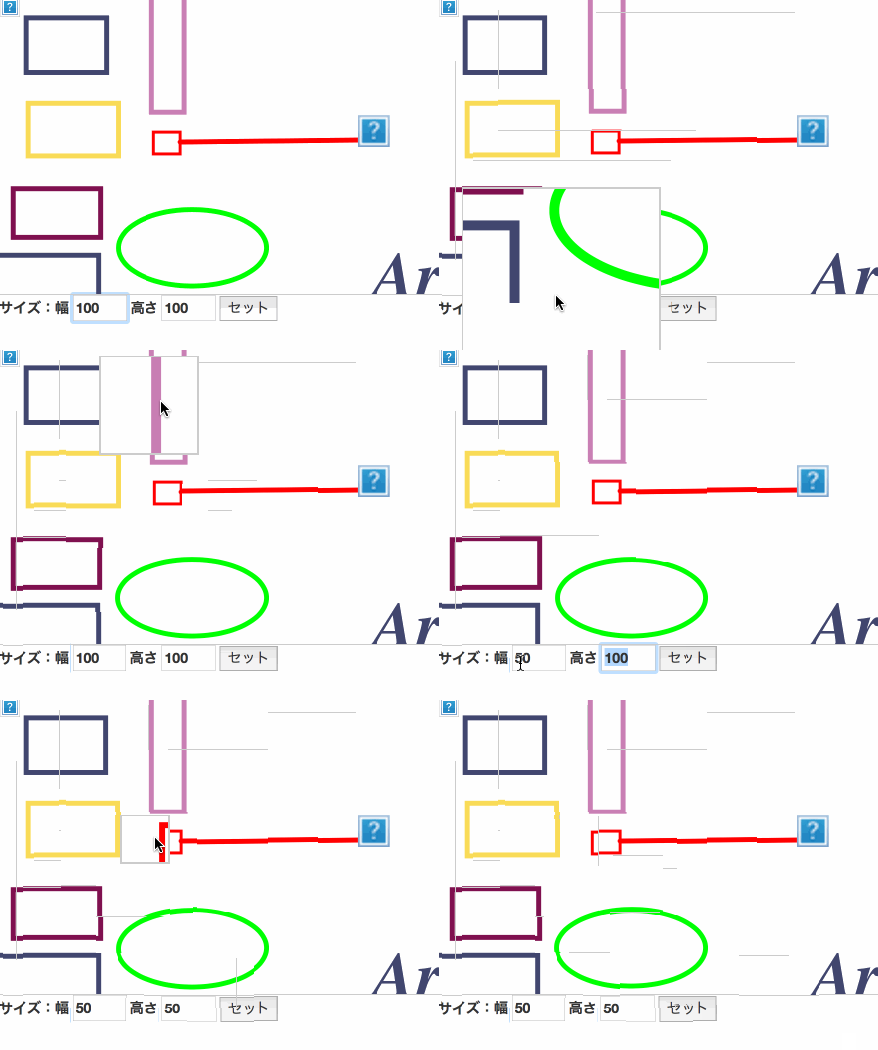
hifiveのUIライブラリ、お絵かきボードの機能で拡大する部分のサイズを変更する方法です。
実際の動きは次の画像のようになります。デモはこちらのJSFiddleで試せます。
HTMLについて
HTMLは前回の拡大表示をベースに、拡大する部分を設定できるテキストボックスを追加します。
This file contains hidden or bidirectional Unicode text that may be interpreted or compiled differently than what appears below. To review, open the file in an editor that reveals hidden Unicode characters.
Learn more about bidirectional Unicode characters
| <div class="controls"> | |
| <label>サイズ:幅 | |
| <input type="input" name="width" value="100" size="3" /> | |
| </label> | |
| <label>高さ | |
| <input type="input" name="height" value="100" size="3" /> | |
| </label> | |
| <input class="setSize" type="button" value="セット" /> | |
| </div> |
JavaScriptについて
JavaScriptでは拡大する部分のサイズを設定する処理を次のように書きます。
This file contains hidden or bidirectional Unicode text that may be interpreted or compiled differently than what appears below. To review, open the file in an editor that reveals hidden Unicode characters.
Learn more about bidirectional Unicode characters
| '.setSize click': function() { | |
| var width = this.$find('[name="width"]').val(); | |
| var height = this.$find('[name="height"]').val(); | |
| this.mag.setSize({ | |
| width: width, | |
| height: height | |
| }); | |
| }, |
setSizeに数字を適用するだけなので、拡大/縮小ボタンのような使い方も簡単です。
デモはこちらのJSFiddleになります。ターゲットの画像によってサイズを分けるような使い方も良さそうですね。
Adobe社がついにFlashを2020年で開発停止すると発表しました。2020年までアップデートは継続されますが、すでに現時点でも多くのWebブラウザにおいてFlash Playerは動作しないようになっています。今後、この動きは加速していくことでしょう。
そんな中、既存のFlashコンテンツについてはなるべく息長く提供していきたいと考えるのではないでしょうか。そこで使ってみたいのが今回紹介するようなJavaScriptベースのFlash Playerとも言うべきライブラリです。
mozilla/shumway: Shumway is a Flash VM and runtime written in JavaScript
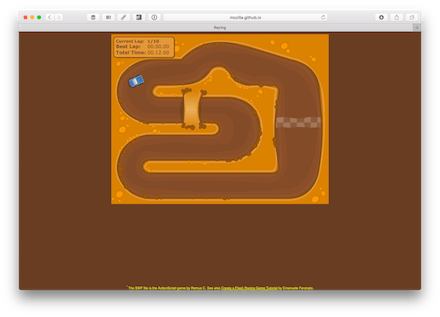
Mozillaの開発しているライブラリで、Flash VMをJavaScriptで開発しています。Action Script3をサポートしており、キー入力もできるようになっています。
mozilla/shumway: Shumway is a Flash VM and runtime written in JavaScript
gree/lwf: LWF – Lightweight SWF
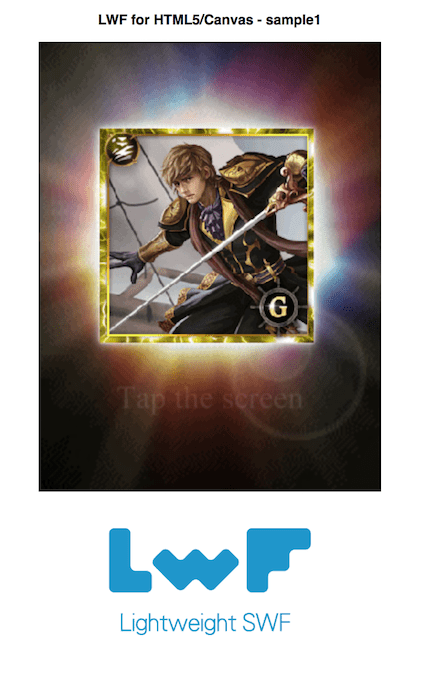
Flashを読み込んでCanvasまたはWebGLにレンダリングできます。HTML5だけでなく、UnityやCocos2d-x、C++へ出力する機能も提供されています。開発元はGREEです。
gree/lwf: LWF – Lightweight SWF
Silenus

Flashの.flaファイルを解析し、JSONとXMLファイルなどに分解します。専用のレンダーを使って単体アプリケーションとして動かすことも、HTML上に描くこともできます。
ken39arg/FlashForward: FlashLite1.1 to HTML5 Animation project

Flash Lite 1.1相当のSWFファイルをHTML5上で動くのを目標としています。CanvasまだはSVGで出力が可能です。どちらも再現性が高く、場合によってはSWFよりも綺麗に描画できます。
ken39arg/FlashForward: FlashLite1.1 to HTML5 Animation project
ienaga/swf2js: JavaScript製FlashPlayer「swf2js」
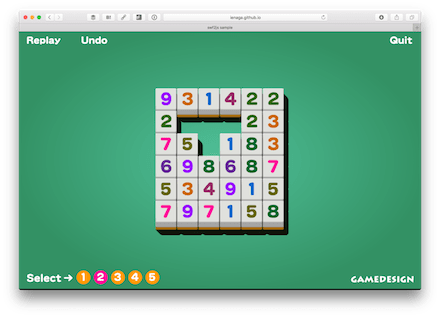
SWFファイルを直接バイナリとして解析してHTML5上で実行します。Flash Lite 1〜4系まで対応し、さらにActionScript 1/2系に対応します。3は一部対応しているようです。
ienaga/swf2js: JavaScript製FlashPlayer「swf2js」
tobytailor/gordon: An open source Flash™ runtime written in pure JavaScript

JavaScriptで書かれたFlashランタイムです。SWF1は完全にサポートされていますが、SWF2については一部機能に留まっています。
tobytailor/gordon: An open source Flash™ runtime written in pure JavaScript
Flashを実行するライブラリは多数出てくるのですが、なかなか継続開発されるものは多くないようです。Flashの開発が止まってしまうと、いよいよ既存コンテンツの扱いが問題になります。まだまだビジネスやWebサービスで利用されていることが多いコンテンツだけにHTML5/JavaScriptで完全に置き換えるのも難しいでしょう。ぜひこれらのライブラリを使ってみてください。
Webシステムの開発時においてイベント通知はよく使われます。例えばjQueryでボタンを押した時のイベントは次のように設定されます。
This file contains hidden or bidirectional Unicode text that may be interpreted or compiled differently than what appears below. To review, open the file in an editor that reveals hidden Unicode characters.
Learn more about bidirectional Unicode characters
| $('button').on('click', function(e) { | |
| // 何かの処理 | |
| }); |
こうした通知機能を任意のオブジェクトに追加できるのがhifiveのイベント通知機能になります。今回は複数のイベントを設定する方法を紹介します。
サンプル
よくある例として、クラスの値を変更する前と後でイベントを発行するものがあります。そうした実装を行う際には次のように行います。
This file contains hidden or bidirectional Unicode text that may be interpreted or compiled differently than what appears below. To review, open the file in an editor that reveals hidden Unicode characters.
Learn more about bidirectional Unicode characters
| function ObservableArray() { | |
| this.name = 'Init'; | |
| }; | |
| ObservableArray.prototype.nameChange = function(name) { | |
| this.dispatchEvent({ | |
| type: 'changeBefore', | |
| data: this, | |
| }); | |
| this.name = name; | |
| this.dispatchEvent({ | |
| type: 'change', | |
| data: this, | |
| }); | |
| } | |
| h5.mixin.eventDispatcher.mix(ObservableArray.prototype); |
実際の処理を行う前と後で2回 dispatchEvent を実行します。後はそれぞれを購読するメソッドを定義します。
This file contains hidden or bidirectional Unicode text that may be interpreted or compiled differently than what appears below. To review, open the file in an editor that reveals hidden Unicode characters.
Learn more about bidirectional Unicode characters
| var observableArray = new ObservableArray; | |
| observableArray.addEventListener('changeBefore', function(e) { | |
| $('#result').val(`${$('#result').val()}\n,changeBefore event..name is ${e.data.name}`); | |
| }); | |
| observableArray.addEventListener('change', function(e) { | |
| $('#result').val(`${$('#result').val()}\n,change event..name is ${e.data.name}`); | |
| }); | |
| observableArray.addEventListener('change', function(e) { | |
| $('#result').val(`${$('#result').val()}\n,another change event..name is ${e.data.name}`); | |
| }); | |
| observableArray.nameChange('Hello'); |
イベントを購読する処理は複数書いておくことができます。こうすることで、購読される側はどの処理が購読しているのかを一切気にする必要なく、単にdispatchEventを実行すれば良いだけになります。コールバック処理の場合は一つの関数しか実行できませんがdispatchEventであれば購読しているイベントすべてに通知が飛びます。
今回のコードはJSFiddleにて確認できます。イベントの通知処理の方法について確認してください。
7月10日、渋谷の21cafeにてテスト自動化勉強会 by hifive「業務アプリのテスト自動化」が開催されました。50名近い参加者に集まっていただき、大変賑わっていました。
まず最初にSHIFTの太田さんより、SI-Toolkitにおける画像比較の仕組みをソースコードを読みながら解説と題してお話がありました。SI-ToolkitはPitalium似に他画像を使ったテストツールになります。また、Pitaliumと同じくオープンソースで公開されています。

資料は以下になります。
https://www.slideshare.net/oota_ken/sitoolkit
続いてhifiveチームの石川よりスクショでテスト”Pitalium” 新機能ご紹介としてお話しました。こちらはPitalium自体の紹介と、最近追加された部分除外に関する機能について紹介しました。

資料は以下になります。
最後は小島直也さんよりDevOpsの実践に向けた自動テストと題してお話いただきました。DevOpsにおけるテスト、特に自動テストの重要性とその取り組み方について実際の業務を通じて得た知見をお話いただきました。

こちらも資料は以下になります。
その後、懇親会が同会場内で開催されました。多くの方々に残っていただき、お話が賑わっていました。
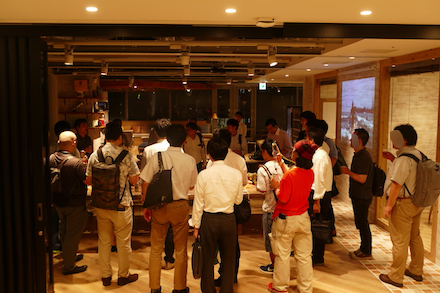
今後も定期的に勉強会を開催していきます。気になるテーマがありましたらぜひご参加ください!
JavaScript(ECMAScript5)ではクラスを作成することができません。ECMAScript2015になって、ようやくクラスを使えるようになりました。しかしレガシーなブラウザでは実装されていないため、Babelのようなライブラリを使ってコードを変換するのが一般的です。
JavaScriptではprototypeやdefinePropertyなどを使ってクラス(的なもの)を実装しますが、hifiveではそういった面倒な仕組みを意識することなくクラスを実装できるモジュールを開発しました。この機能は1.3.1以降で利用できます。
今回はインスタンスを動的に拡張する方法について紹介します。よりJavaScriptらしい記述が可能になります。
ベースになるクラスについて
今回のベースは以前紹介したhifiveのクラスモジュール紹介(その3)「フィールド/アクセサ」で使ったHelloClassになります。通常、このHelloClassのインスタンスに対して適当なプロパティを指定するとエラーになります。
This file contains hidden or bidirectional Unicode text that may be interpreted or compiled differently than what appears below. To review, open the file in an editor that reveals hidden Unicode characters.
Learn more about bidirectional Unicode characters
| var hello = Hello.HelloClass.create(); | |
| hello.unknown = "New property!"; | |
| // -> TypeError: Can't add property unknown, object is not extensible |
これを防ぐために、クラスに isDynamic: true, を定義します。
This file contains hidden or bidirectional Unicode text that may be interpreted or compiled differently than what appears below. To review, open the file in an editor that reveals hidden Unicode characters.
Learn more about bidirectional Unicode characters
| var HelloClass = h5.cls.RootClass.extend(function (super_) { | |
| return { | |
| // クラス名(完全修飾名) | |
| name: 'HelloClass', | |
| // 動的拡張を可能にする | |
| isDynamic: true, | |
| // クラスのメソッド定義 | |
| method: { | |
| constructor: function (params) { | |
| // 親クラスのコンストラクタ呼び出し | |
| super_.constructor.call(this); | |
| } | |
| } | |
| }; | |
| }); |
こうして定義されたクラスはインスタンスのプロパティが自由に拡張できるようになります。
This file contains hidden or bidirectional Unicode text that may be interpreted or compiled differently than what appears below. To review, open the file in an editor that reveals hidden Unicode characters.
Learn more about bidirectional Unicode characters
| var hello = Hello.HelloClass.create(); | |
| // これはエラーになりません | |
| hello.unknown = "New property!"; | |
| $("#result").val(hello.unknown); |
元々JavaScriptではこういったプロパティの追加が自由にできていましたが、よりクラス設計を厳密に行うためにデフォルトでは拡張がオフになっています。とは言え、ダイナミックに項目を追加したいという場合もあると思いますので、その際に使ってみてください。
今回のコードはJSFiddleにアップロードしてあります。実装時の参考にしてください。
サーバサイドの開発に慣れている方にとってはクラスや継承は当たり前のものでしょう。これによって実装がとても簡単に、生産性高いものになるはずです。ぜひhifiveのクラス機能を使いこなしてください。
JavaScript(ECMAScript5)ではクラスを作成することができません。ECMAScript2015になって、ようやくクラスを使えるようになりました。しかしレガシーなブラウザでは実装されていないため、Babelのようなライブラリを使ってコードを変換するのが一般的です。
JavaScriptではprototypeやdefinePropertyなどを使ってクラス(的なもの)を実装しますが、hifiveではそういった面倒な仕組みを意識することなくクラスを実装できるモジュールを開発しました。この機能は1.3.1以降で利用できます。
今回は抽象クラスの使い方について紹介します。
ベースになるクラスについて
今回のベースは以前紹介したhifiveのクラスモジュール紹介(その2)「継承」で使ったAnimalClassになります。このAnimalClassは継承して利用するクラスになります。そこで抽象クラスであるという定義として isAbstract: true, を指定します。
This file contains hidden or bidirectional Unicode text that may be interpreted or compiled differently than what appears below. To review, open the file in an editor that reveals hidden Unicode characters.
Learn more about bidirectional Unicode characters
| var AnimalClass = h5.cls.RootClass.extend(function (super_) { | |
| return { | |
| // クラス名(完全修飾名) | |
| name: 'AnimalClass', | |
| isAbstract: true, | |
| // クラスのフィールド定義 | |
| field: { | |
| _name: null | |
| }, | |
| // クラスのメソッド定義 | |
| method: { | |
| constructor: function (params) { | |
| // 親クラスのコンストラクタ呼び出し | |
| super_.constructor.call(this); | |
| this._name = params; | |
| }, | |
| hello: function() { | |
| return this._name; | |
| }, | |
| cry: function(name, voice) { | |
| return name + "'s crying voice is " + voice; | |
| } | |
| } | |
| }; | |
| }); |
こうして定義されたクラスはインスタンスを作ろうとするとエラーになります。
This file contains hidden or bidirectional Unicode text that may be interpreted or compiled differently than what appears below. To review, open the file in an editor that reveals hidden Unicode characters.
Learn more about bidirectional Unicode characters
| try { | |
| var animal = Animal.AnimalClass.create(); | |
| }catch(e) { | |
| // e -> Error: このクラスは抽象クラスです。インスタンスを生成することはできません。 | |
| } |
抽象クラスにすることで実装も含めた形で継承前提のクラスが作れるようになります。
今回のコードはJSFiddleにアップロードしてあります。実装時の参考にしてください。
サーバサイドの開発に慣れている方にとってはクラスや継承は当たり前のものでしょう。これによって実装がとても簡単に、生産性高いものになるはずです。ぜひhifiveのクラス機能を使いこなしてください。
 hifive開発者ブログ